Concurrent File Edits (AKA Multi-File Edits)
Edit multiple files in a single operation, dramatically speeding up refactoring and multi-file changes.
What It Does
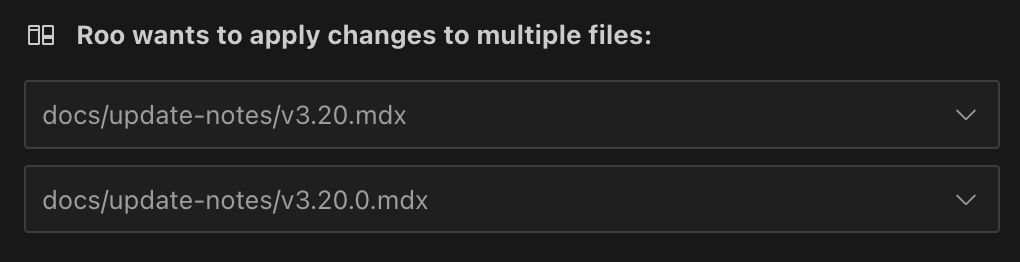
Concurrent File Edits allows Roo to modify multiple files in your workspace within a single request. Instead of approving each file edit individually, you review and approve all changes at once through a unified batch approval interface.
Why Use It
Traditional approach: Sequential file edits requiring individual approvals
- Edit file A → Approve
- Edit file B → Approve
- Edit file C → Approve
With Concurrent File Edits: All changes presented together
- Review all proposed changes across files A, B, and C
- Approve once to apply all changes
This reduces interruptions and speeds up complex tasks like:
- Refactoring functions across multiple files
- Updating configuration values throughout your codebase
- Renaming components and their references
- Applying consistent formatting or style changes
How to Enable
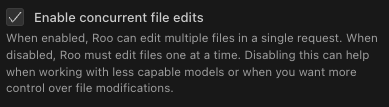
Multi-File Edits is an experimental feature and must be enabled in settings.
- Open Roo Code settings (click the gear icon in Roo Code)
- Navigate to Roo Code > Experimental Settings
- Enable the Enable multi-file edits option
Using the Feature
When enabled, Roo automatically uses concurrent edits when appropriate. You'll see a "Batch Diff Approval" interface showing:
- All files to be modified
- Proposed changes for each file
- Options to approve all changes or review individually
Example Workflow
- Ask Roo to "Update all API endpoints to use the new authentication method"
- Roo analyzes your codebase and identifies all affected files
- You receive a single batch approval request showing changes across:
src/api/users.jssrc/api/products.jssrc/api/orders.jssrc/middleware/auth.js
- Review all changes in the unified diff view
- Approve to apply all changes simultaneously
Technical Details
This feature leverages the apply_diff tool's experimental multi-file capabilities. For detailed information about the implementation, XML format, and how the MultiFileSearchReplaceDiffStrategy works, see the apply_diff documentation.
Best Practices
When to Enable
- Using capable AI models (Claude 3.5 Sonnet, GPT-4, etc.)
- Comfortable reviewing multiple changes at once
When to Keep Disabled
- Working with less capable models that might struggle with complex multi-file contexts
- Prefer reviewing each change individually
Limitations
- Experimental: This feature is still being refined and may have edge cases
- Model dependent: Works best with more capable AI models
- Token usage: Initial requests may use more tokens due to larger context
- Complexity: Very large batch operations might be harder to review
Troubleshooting
Changes Not Batching
- Verify the experimental flag is enabled in settings
- Check that your model supports multi-file operations
- Ensure files aren't restricted by
.rooignore
Approval UI Not Appearing
- Update to the latest version of Roo Code
- Check VS Code's output panel for errors
- Try disabling and re-enabling the feature
Performance Issues
- For very large batches, consider breaking the task into smaller chunks
- Monitor token usage if working with limited API quotas
See Also
apply_diffTool Documentation - Detailed technical information- Experimental Features - Other experimental capabilities
.rooignoreConfiguration - File access restrictions